
Finance & Budgets
How to Integrate Your School Payment Portal With the General Ledger.
A reliable payment portal integration completes the payment-to-ledger sequence in one governed workflow, with a clear record at every step. Here is what that looks like and how to evaluate your own process.
Most K-12 districts already use software to accept payments and manage accounting. The opportunity is in the handoff between those systems: a staff member exports a payment report, adjusts it in a spreadsheet, re-keys totals into the accounting system, then reconstructs the trail at month-end.
That handoff can quietly create two versions of the truth. The payment portal has one record, the spreadsheet has another, and the general ledger has a third. When a question comes up, staff have to reconcile not only the numbers but also which file is authoritative, who changed it, and whether anyone reviewed the adjustment.
A reliable school payment portal integration closes that gap. The goal is to complete the payment-to-ledger sequence in one governed workflow, with a clear record at every step.
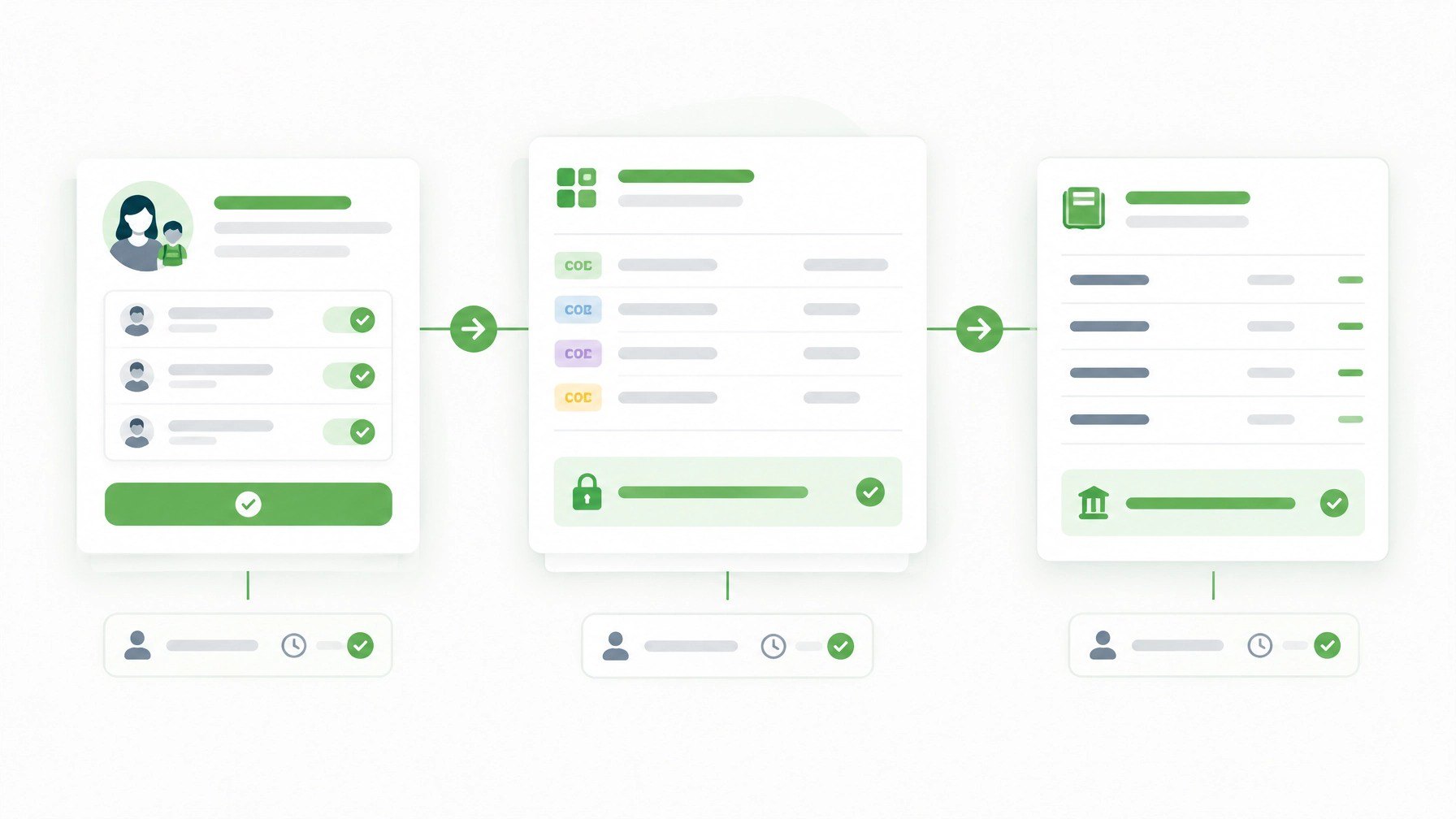
Where handoffs add extra steps
A typical payment-to-GL process can involve several separate actions:
- Exporting payment reports from the portal.
- Editing or sorting the data in a spreadsheet.
- Re-keying totals or journal lines in the accounting system.
- Matching processor batches to portal transactions by hand.
- Reviewing differences during month-end close.
- Recording an adjustment without a clear approval history.
Each step may seem manageable on its own. Together, they create extra handling and make it harder to trace a ledger entry back to the original payment. A spreadsheet is useful for analysis, but when it becomes the place where staff complete or correct the accounting workflow, visibility and audit history can fall behind.
This is not simply a question of whether a district has software. It is whether staff can finish the work inside a connected, reviewable process.
What a controlled payment-to-GL workflow looks like
A complete workflow gives each payment a traceable path from family transaction to ledger posting:
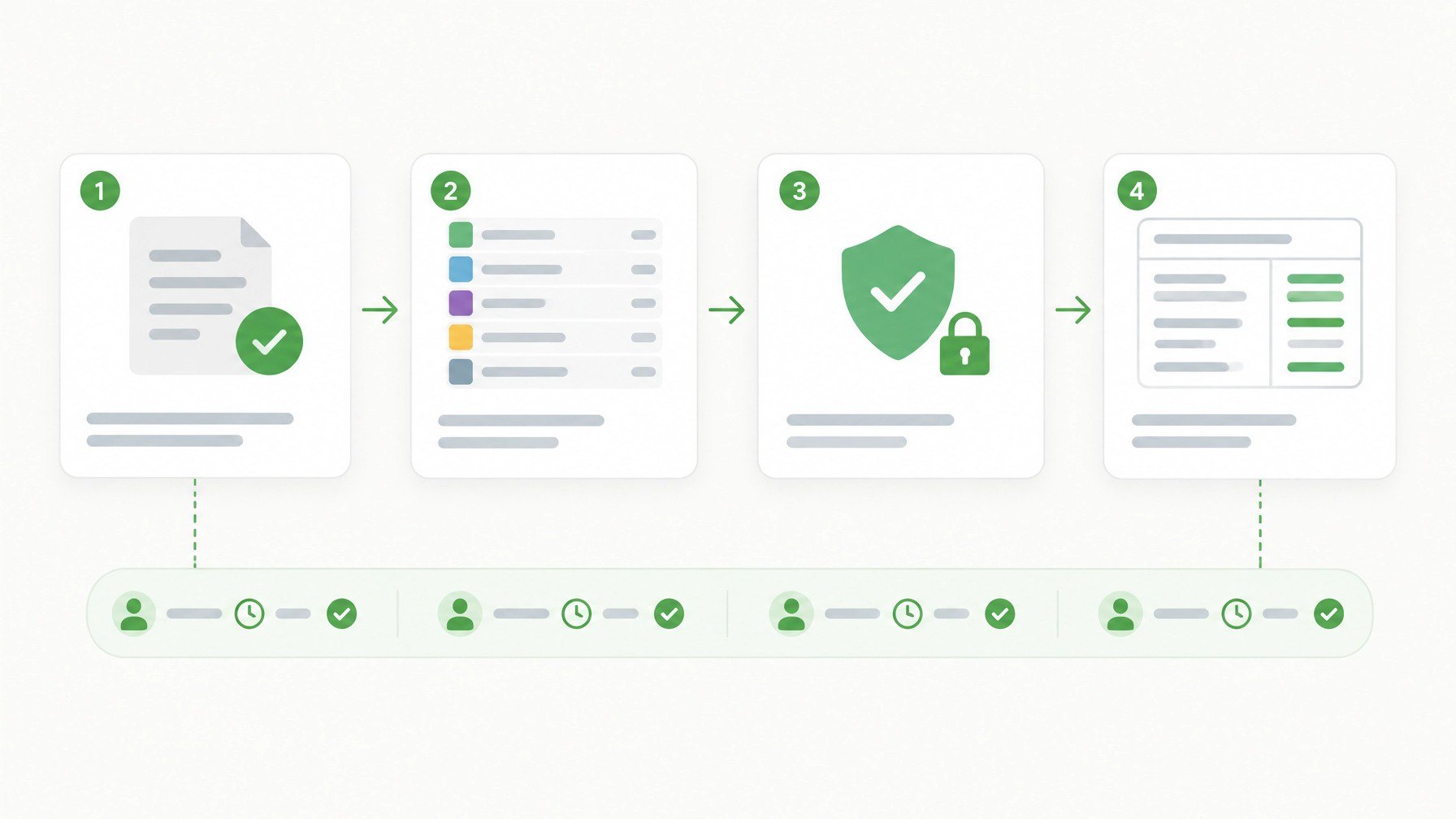
- Record the payment. The portal records the completed transaction against the correct student fee or obligation. Preserve a unique transaction reference, date, amount, payment status, and any applicable processor or settlement-batch identifier.
- Assign the accounting codes. Each fee or payment type maps to the appropriate account codes and, where needed, school, program, or other district dimensions. Multi-code allocation supports more complex distributions without asking staff to rebuild them offline.
- Review exceptions and adjustments. Unallocated payments, refunds, voids, and corrections need a defined path. Staff should be able to see what changed, who made the change, when it happened, and who approved it when approval is required.
- Approve and lock the export batch. An authorized reviewer checks the export before release. Once approved, a locked batch helps prevent unauthorized changes to the records being transferred.
- Export to the general ledger. The system produces a controlled export in the format the district's accounting process requires. The export should retain the references needed to trace ledger lines back to payment activity.
- Reconcile and resolve differences. Finance compares the payment and settlement activity with the ledger and bank activity, investigates variances, and documents the outcome in the same workflow whenever possible.
A dependable connection does not have to mean a real-time API to every accounting platform. For many districts, a well-configured CSV or custom GL export can provide a controlled path. What matters is that the format, coding, review, and batch history are defined, and that staff do not need to create a separate spreadsheet process to make the numbers usable.
Evaluate whether your current stack closes the loop
Use these questions to review your payment-to-ledger workflow. The aim is not to judge individual staff practices; it is to identify where the system leaves them doing extra work.
Payment records
- Can finance trace each payment to its student obligation and transaction reference?
- Can staff distinguish completed payments from refunds, voids, and unresolved items?
- Are processor or settlement-batch references available when needed?
Accounting and export
- Can payment activity carry the correct GL codes, including multi-code allocations?
- Does the export match the accounting system's required fields and format?
- Can staff see which payments were included in a specific export batch?
- Does the process help prevent duplicate imports or changes to an approved batch?
Review and audit history
- Does the record show who created, changed, reviewed, and exported the relevant information?
- Are timestamps and transaction details available for adjustments?
- Can you identify the approver and the status of an export without searching through email?
- Can you reproduce the basis for a month-end reconciliation without rebuilding it from separate files?
Day-to-day operations
- Can staff investigate a variance from the original payment record?
- Do finance leaders have visibility into outstanding balances and unresolved items?
- Can the team complete routine payment-to-GL work without maintaining a parallel spreadsheet as the operational record?
If several answers depend on "we export it and check later," the opportunity may not be a missing report. It may be that the current workflow ends before the accounting work is actually complete.
Make the integration fit district systems and controls
An integration should support the district's existing technology environment rather than create a separate process for finance or IT. Confirm how payment data, student records, accounting codes, and user access move between systems.
For example, a school district accounting software connection may use a configurable CSV export or a custom GL format. The implementation should define the fields, code mappings, export frequency, authorized reviewers, and how exceptions are handled. A clear mapping is more valuable than a file that transfers quickly but still requires extensive manual correction.
Identity and roster connections matter too. SchoolBanks supports integrations and data exchange for Stripe payments, ClassLink OneRoster roster data, Microsoft Entra ID, and Google Workspace, alongside configurable financial exports. The best fit depends on the district's existing systems and requirements; confirm the specific data flow and setup with the vendor. See the SchoolBanks integrations overview.
Security review should cover access to both payment and student-related information. Ask how the platform supports role-based access, SSO and MFA requirements, data protection, and the handling of sensitive payment details. SchoolBanks describes FERPA-aligned data protections and PCI-DSS-aligned payment practices, including tokenized processing through Stripe and no storage of raw card numbers or CVV data in the application. Districts can review the SchoolBanks security overview as part of their evaluation.
Keep the operational record connected
A school district finance software workflow should do more than deliver totals to accounting. It should connect the fee, payment, allocation, approval, export, and reconciliation records so staff can follow the transaction without recreating its history.
SchoolBanks Financial Ops connects fee management, online payments, accounting workflows, reporting, and audit controls. Completed payments can be exported to the general ledger using configurable financial exports, with multi-code GL allocation, approval workflows, and locked export batches. Changes to key records are logged with user and timestamp details, helping staff and reviewers understand how the transaction moved through the process.
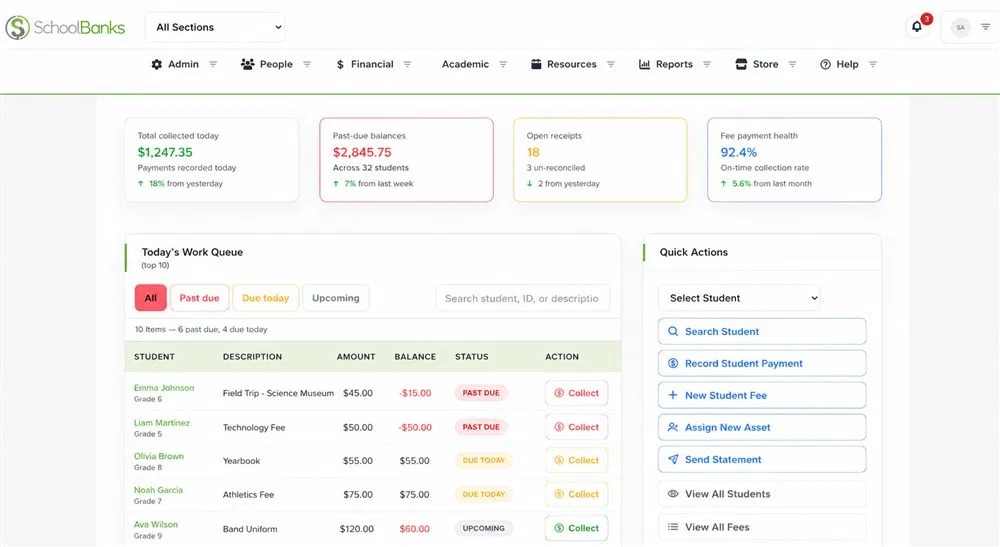
The objective is practical: fewer handoffs, less re-keying, and a clearer record at close. That is the standard to apply when assessing any K-12 financial management software. Can the finance team complete its operational day in the system, or does the work still spill into side files?
Start with the handoffs you already have
Before changing systems, document the current path from a parent's payment to the posted ledger entry. Mark each export, spreadsheet, re-key, manual match, review, and adjustment. Then identify which actions should happen in the system and what evidence finance needs to retain.
For a structured review, use the K-12 Audit Readiness Checklist. If you want to see how a connected workflow could fit your district's accounting process, request a focused SchoolBanks demo. Bring your current payment-to-GL steps, preferred export format, and review requirements so the discussion can focus on what matters most.